Reading apps with a lock
Android reading apps that also block social media
Updated October 23, 2026
The short version: most Android reading apps don’t block anything. ReadEra, Kindle, Moon+ Reader, Google Play Books, Libby and Kobo are good readers, but Instagram is one tap away while you use them. A few Android apps are a reader and an app blocker in one: FirstPage, Another Page, One More Page and PageToll. They keep the apps you pick locked until you’ve read.
We make FirstPage, so it’s on this list, and we say where the others suit you better.
Reading apps on Android, and which ones block apps
| App | Reads your own books | Blocks other apps | How the lock ends |
|---|---|---|---|
| FirstPage | EPUB, PDF | Yes | You hit a daily goal in pages or minutes |
| Another Page | EPUB (Premium) | Yes | You read a few pages before each open |
| One More Page | EPUB | Yes | You meet a reading goal on a schedule |
| PageToll | Not verified | Yes | You read a page before each open |
| ReadEra | Many formats | No | Not a blocker |
| Moon+ Reader | 20+ formats | No | Not a blocker |
| Kindle | Via Send to Kindle | No | Not a blocker |
| Google Play Books | EPUB, PDF | No | Not a blocker |
| Libby | No | No | Not a blocker |
FirstPage: a reader with a daily lock
FirstPage
Reading app blocker for Android
- Phone
- Android (iPhone waitlist)
- Unlocks when
- You hit a daily goal in pages, minutes or both
- Books
- Your own EPUB and PDF files, or free classics in the app
- Free plan
- 2 locked apps, 1 book, 1 reading window
- Pro (US)
- $6.99 a month or $49.99 a year, 3-day trial on yearly
- Permissions
- Usage access and display over other apps. No Accessibility service
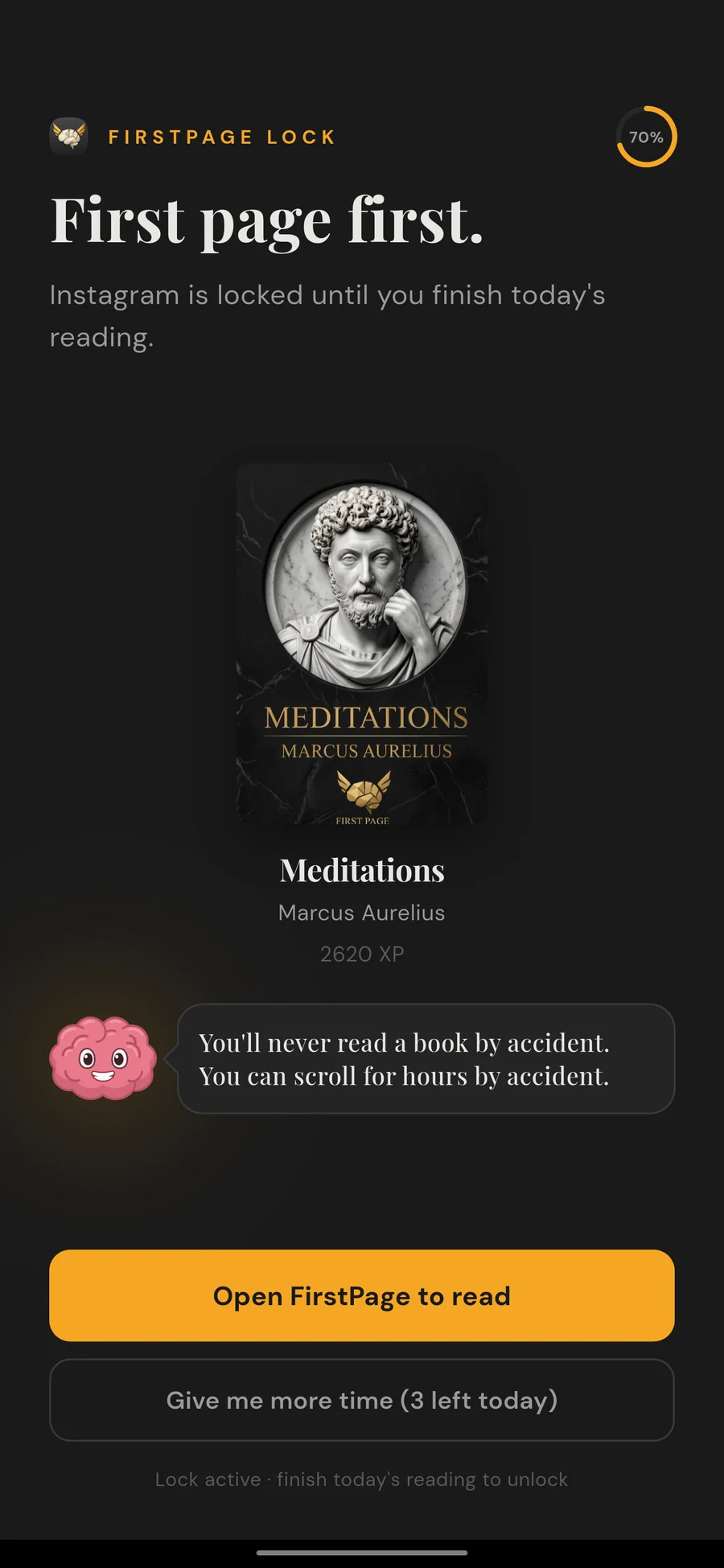
Open a locked app and FirstPage sends you to your book.
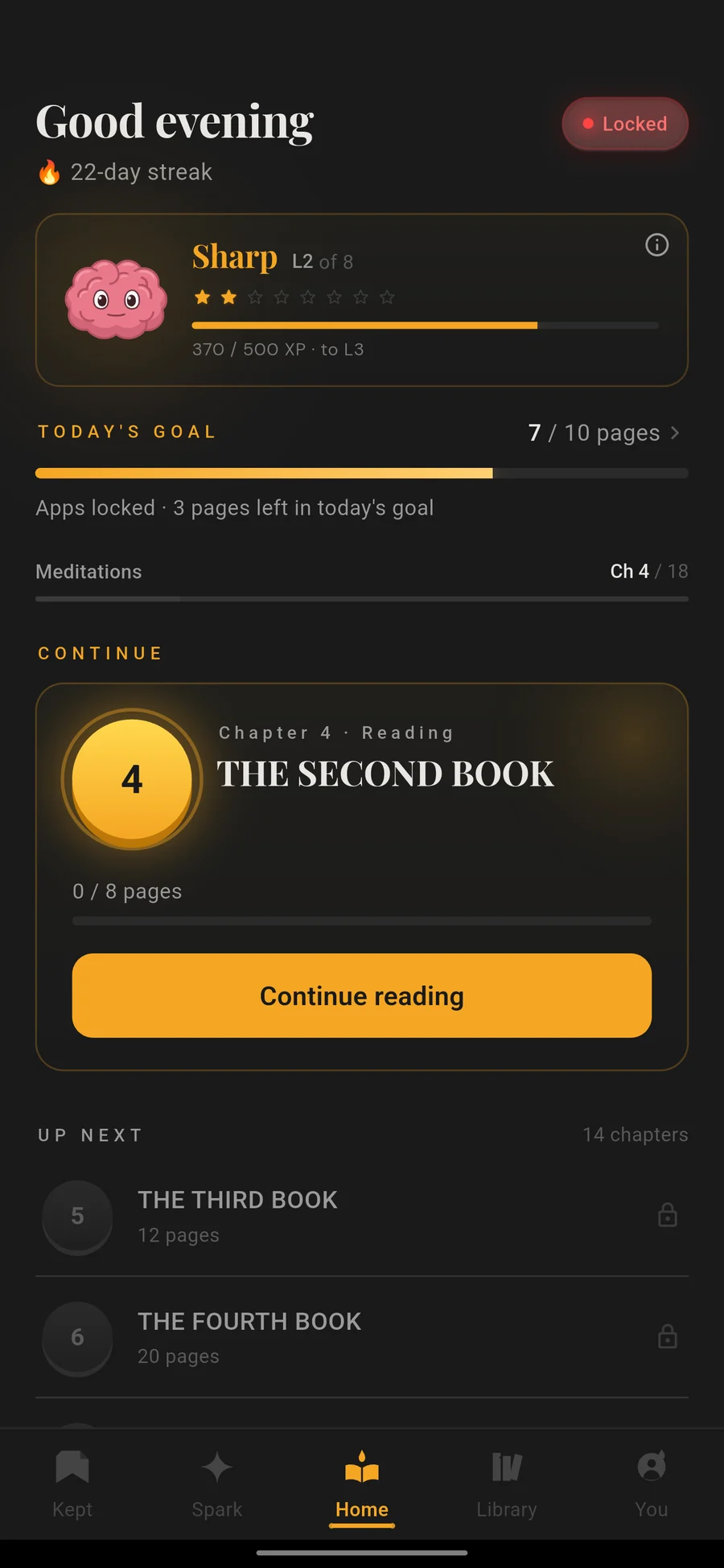
Today's goal, your streak and what is still locked.
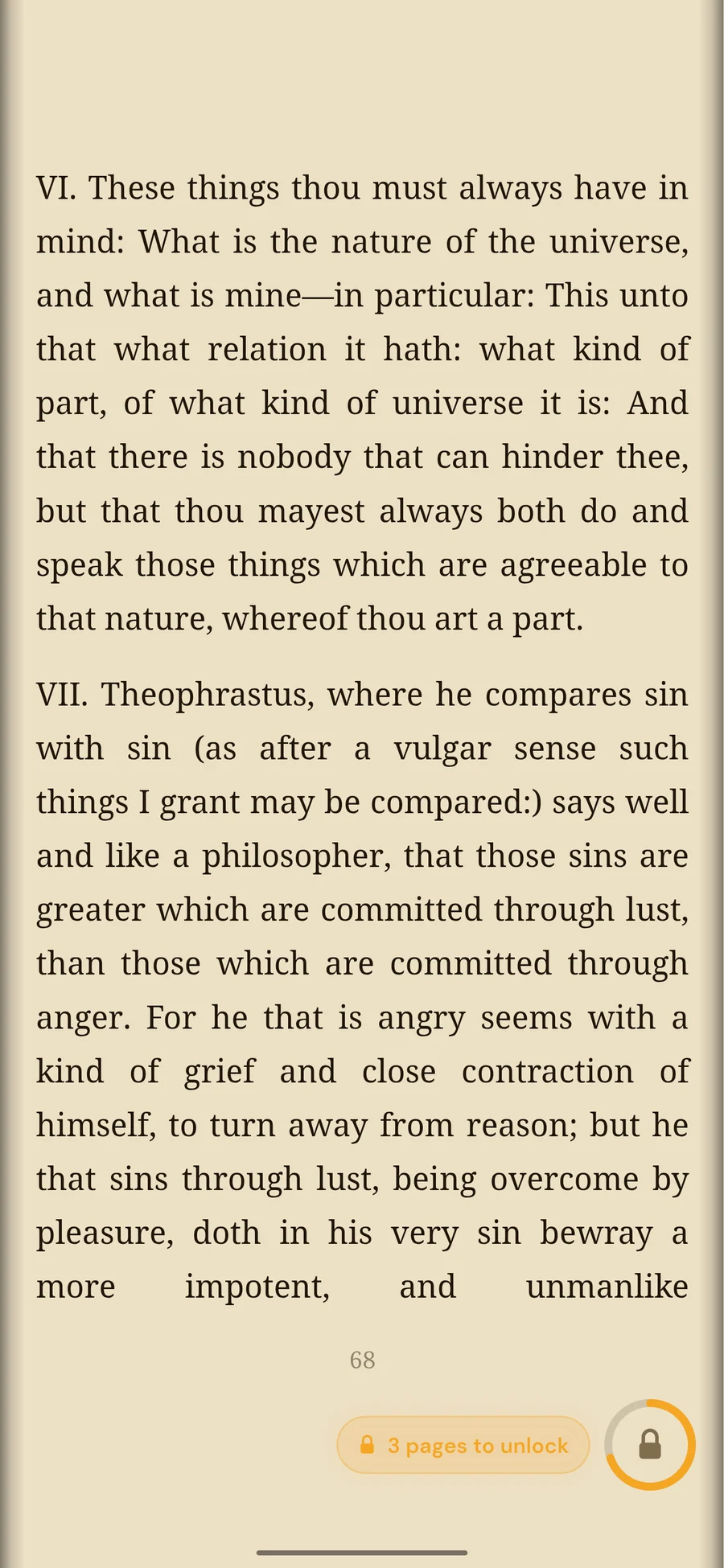
Read in the app. The pages count toward the goal.
FirstPage is an EPUB and PDF reader with an app blocker built in. Choose the apps to lock, set a goal in pages, minutes or both, and read in FirstPage. When you hit the goal, the apps open on their own until the next day. Open one early and FirstPage shows how many pages are left, with a button back to your book.
As a reader it has five fonts, highlights in five colors, word and page translation, bookmarks, read-aloud voices in six languages and free classics from Project Gutenberg. You can split the day into reading windows, each with its own goal, and there’s a short way out when you need one: 10 minutes, up to three times a day.
Pick it if you want one real reading session a day, then a normal phone.
Another Page: a page before every open
Another Page shows a reading screen before a blocked app opens, then lets the app through for the time you chose. It has a large library of public-domain books, and importing your own EPUB is a Premium feature. It also runs on iPhone.
Pick it if you open Instagram on reflex and want each reflex to cost a few pages.
One More Page: a lock on a schedule
One More Page locks apps on schedules until you meet a reading goal, with free classics or your own EPUB. It is new and uses Android’s Accessibility service.
PageToll (PageToll: Read To Scroll on Google Play) works like Another Page: read a page before a blocked app opens.
Why not ReadEra with an app blocker?
You can pair a free reader like ReadEra with a blocker like AppBlock or Stay Focused. That works for a fixed schedule: block Instagram from 9 to 10 pm and read in that hour. The two apps don’t talk to each other, though, so the block ends when the clock says so, whether you read or not. In a reading app blocker the reader counts your pages, and the lock opens when the goal is done.
If you want the best reader for its own sake, our best reading apps for Android guide covers ReadEra, Moon+ Reader, Kindle and the rest. For every app that locks your phone until you read, on Android and iPhone, see the best reading app blockers.
Which one should you pick?
- A reader that locks Instagram until your daily goal: FirstPage.
- A few pages before every open: Another Page.
- Just a great reader, no lock: ReadEra or Moon+ Reader.
App names are trademarks of their owners. FirstPage is not affiliated with any other app on this page. Details about other apps can change; this page was last checked on the date at the top.
Questions
- Which Android reading app also blocks social media?
- FirstPage. It is an EPUB and PDF reader that keeps the apps you choose, like Instagram, TikTok and YouTube, locked until you reach a daily reading goal in pages or minutes. Another Page, One More Page and PageToll also lock apps until you read.
- Does ReadEra block apps?
- No. ReadEra is a free reader for your own files and has no app blocking. To block apps while using it you need a separate blocker, such as AppBlock or Stay Focused, which unlocks on a timer rather than when you have read.
- Do Kindle or Moon+ Reader have an app blocker?
- No. Kindle, Moon+ Reader, Google Play Books, Libby and Kobo track your reading but leave your other apps alone.
- Is it better to use one app or a reader plus an app blocker?
- A reader plus a blocker works for a fixed schedule, but the blocker can't tell whether you read. One app that does both unlocks when your reading goal is done, which is the point if you want to read more.