App blockers
The best app blockers for Android in 2026
Updated October 27, 2026
The short version: most app blockers end a block when a timer runs out, and the time you save tends to go to another app. FirstPage is different: it keeps Instagram, TikTok or any app you pick locked until you’ve read your pages for the day, so the time goes into a book. If you only want to block apps, AppBlock is the best all-rounder, one sec adds a pause before an app opens, and Lock Me Out is the strictest.
The best app blockers for Android in 2026
- FirstPage: best overall: apps unlock when you’ve read, no Accessibility service.
- AppBlock: best all-round blocker.
- one sec: best pause before opening an app.
- Opal: most polished focus app.
- Lock Me Out: strictest.
- Freedom: best for phone and computer together.
- ScreenZen: best free pause-before-open.
- StayFree: best screen-time stats.
- Digital Wellbeing: built in and free.
- Forest: focus sessions as a game.
The apps, side by side
| App | What ends a block | Hard to bypass | Accessibility service | Price (US) |
|---|---|---|---|---|
| FirstPage | Reading your daily goal | Yes; 10-minute escape, 3 a day | No | Free (2 apps); Pro $6.99/mo or $49.99/yr |
| AppBlock | Schedule, place, Wi-Fi or limit | Strict Mode | Yes | Free (3 apps); Premium $29.99/yr on iPhone |
| one sec | A pause, or a schedule | Not stated | Yes | Free (1 app); Pro $19.99/yr on iPhone |
| Opal | Session, schedule or limit | Hard Mode (Pro) | Android 14+ | Free (1 rule); Pro $99.99/yr |
| Lock Me Out | Schedule, usage, place | Uninstall protection (Premium) | Yes | Free tier; Premium not published |
| Freedom | Session or schedule | Locked Mode | Yes | $8.99/mo or $39.99/yr |
| ScreenZen | A growing wait, visit caps | Locks on settings (iPhone) | Yes, for websites | Tips only on iPhone |
| StayFree | Limits, Focus and Sleep modes | Password | Yes | Not published |
| Digital Wellbeing | Daily timer, Focus schedule | No, delete the timer | Not stated | Free, built in |
| Forest | A focus session | Deep Focus during a session | Yes | Free; Plus varies by region |
1. FirstPage: best overall, apps unlock when you’ve read
FirstPage
Reading app blocker for Android
- Phone
- Android (iPhone waitlist)
- Unlocks when
- You hit a daily goal in pages, minutes or both
- Books
- Your own EPUB and PDF files, or free classics in the app
- Free plan
- 2 locked apps, 1 book, 1 reading window
- Pro (US)
- $6.99 a month or $49.99 a year, 3-day trial on yearly
- Permissions
- Usage access and display over other apps. No Accessibility service
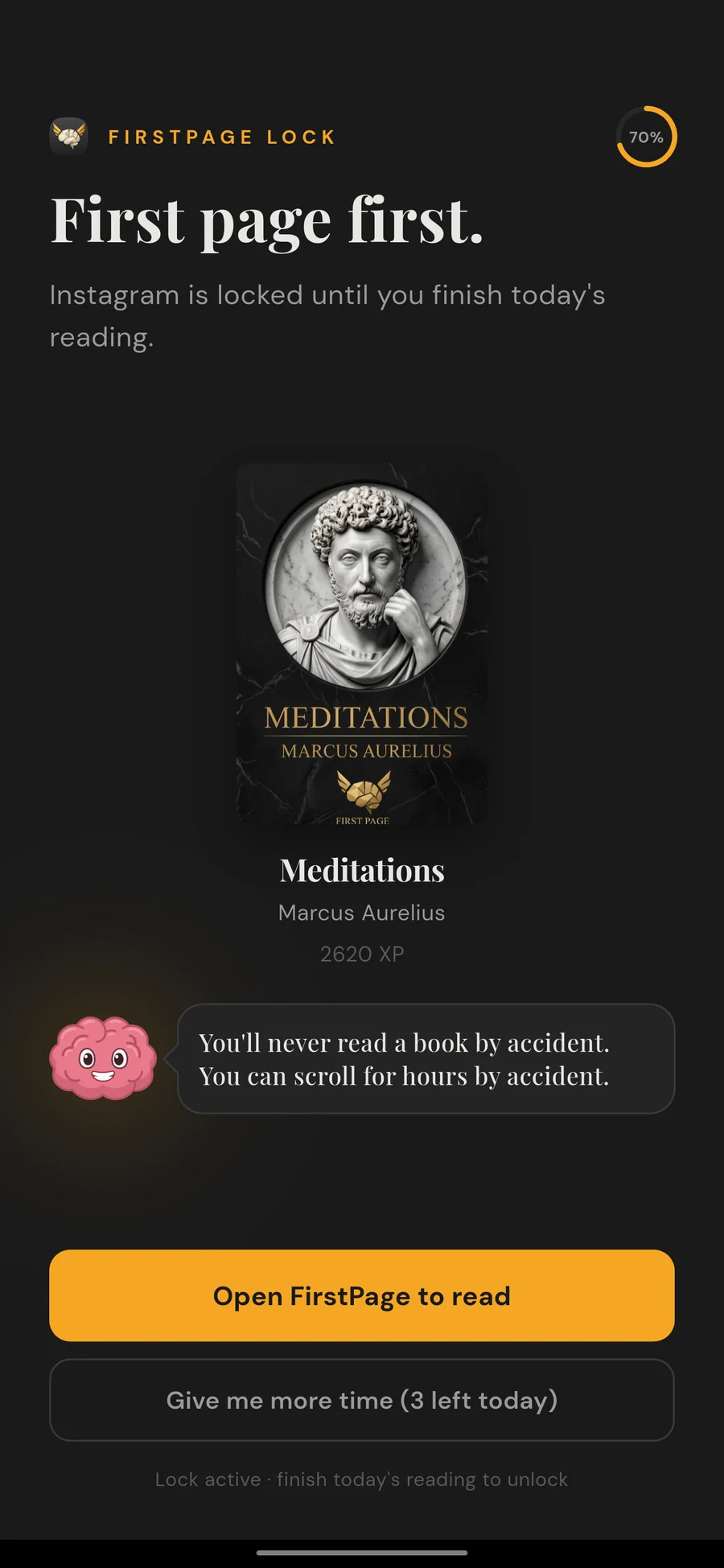
Open a locked app and FirstPage sends you to your book.
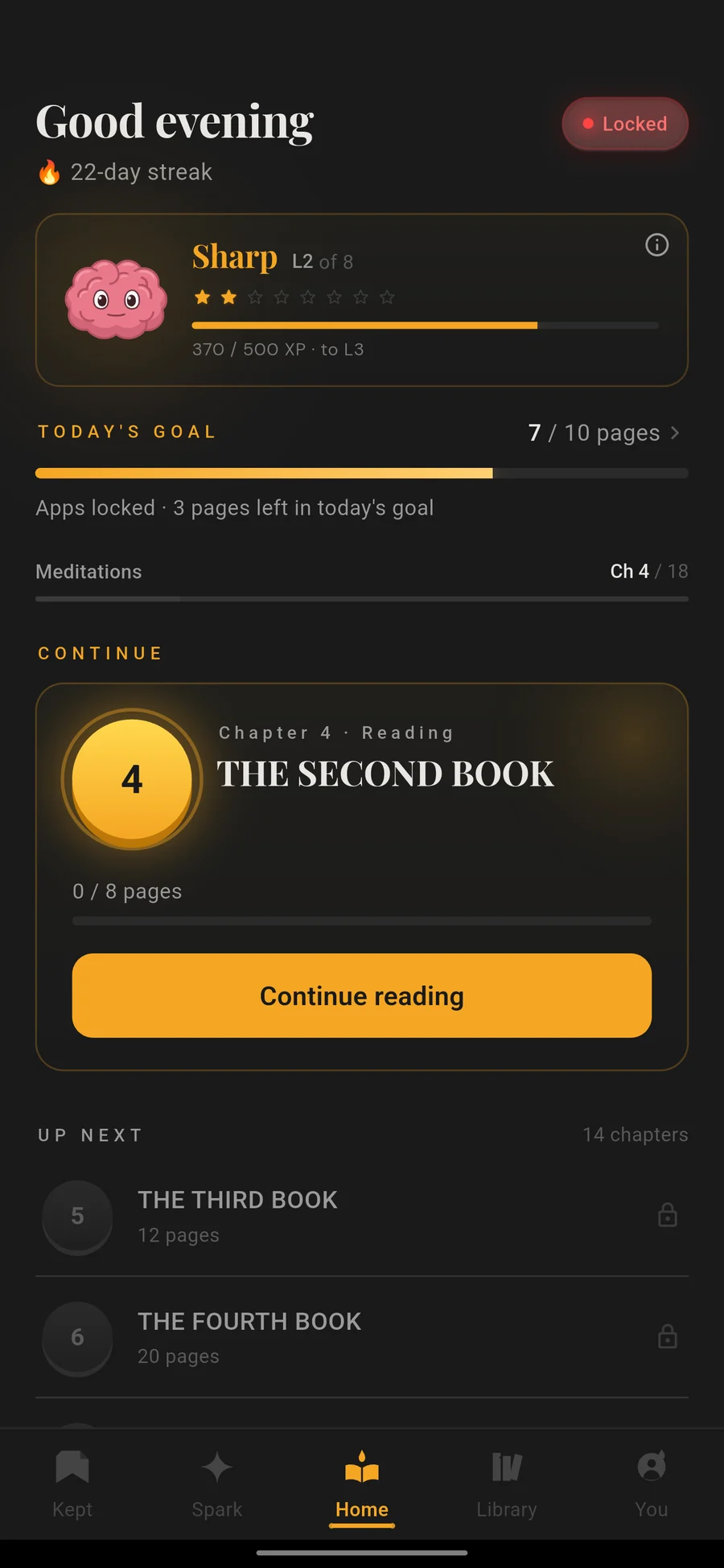
Today's goal, your streak and what is still locked.
Read in the app. The pages count toward the goal.
FirstPage locks the apps you pick, like Instagram, TikTok, YouTube or Reddit, and opens them once you’ve read your daily goal in pages or minutes in its built-in reader. Open a locked app early and FirstPage sends you to your book instead. If you really need an app, there’s a 10-minute escape, up to three times a day.
It works with usage access and display over other apps, and it doesn’t use Android’s Accessibility service, which almost every other blocker on this list does. The reader adds a streak, XP for a brain mascot, AI chapter summaries, offline translation and read-aloud voices.
Pick it if you want the time you take back from your phone to go into books. If you need to block websites or block apps on a work schedule, a dedicated blocker below suits you better.
2. AppBlock: best all-round blocker
AppBlock blocks apps and websites on schedules set by time, location or Wi-Fi, with daily limits and a Strict Mode that stops you getting around your own rules. The free plan covers 3 apps or sites and 2 schedules. Premium is $4.99 a month or $29.99 a year on iPhone, with a 7-day trial.
3. one sec: best pause before opening an app
one sec shows a short breathing exercise before a chosen app opens, so you open it on purpose. It can also block on a schedule, set time limits and block YouTube Shorts and Instagram Reels. It’s free for one app; Pro is $6.99 a month or $19.99 a year on iPhone.
4. Opal: most polished focus app
Opal runs focus sessions, schedules and daily limits, with a Hard Mode in Pro that you can’t switch off. The free plan has one rule. Pro is $19.99 a month or $99.99 a year on Opal’s site. We compare it with FirstPage in our Opal guide.
5. Lock Me Out: strictest
Lock Me Out can block chosen apps, allow only chosen apps, or lock everything except calls. Lockouts can start on a schedule, after a set amount of use, or in a place, and you can’t make an active lockout easier. Premium adds protection against uninstalling it. It doesn’t publish its prices.
6. Freedom: best for phone and computer together
Freedom blocks the same apps and websites across Android, iPhone, Mac, Windows and Chromebook at once, with schedules and a Locked Mode that stops you quitting a session. It’s $8.99 a month or $39.99 a year.
7. ScreenZen: best free pause-before-open
ScreenZen makes you wait before an app opens, with a wait that can grow each time, caps on how long each visit lasts and daily goals. On iPhone its only purchases are tips.
8. StayFree: best screen-time stats
StayFree tracks your use across phone, computer and browser, with reminders, app blocks, Focus and Sleep modes and a password to protect your settings. It’s ad-free.
9. Digital Wellbeing: built in and free
Most Android phones already have app timers, Focus mode and Bedtime mode under Settings, Digital Wellbeing. They’re a good first step, but easy to undo: you can delete a timer and open the app. See how to reduce screen time on Android.
10. Forest: focus sessions as a game
Forest grows a tree while you stay off your phone, and the tree dies if you leave. Deep Focus blocks other apps during a session, and Time Guard blocks apps on a schedule. It suits focus sessions more than all-day blocking.
Which one should you pick?
- You want to read instead of scroll: FirstPage.
- Schedules and websites, all in one: AppBlock.
- A moment to think before opening: one sec or ScreenZen.
- No way out at all: Lock Me Out or Opal’s Hard Mode.
- Phone and computer together: Freedom.
- Apps that lock until you read: see the best reading app blockers.
FirstPage is made by the team that writes this guide. App names are trademarks of their owners, and FirstPage is not affiliated with any other app on this page. Details about other apps can change; this page was last checked on the date at the top.
Questions
- What is the best app blocker for Android?
- It depends on what should end the block. FirstPage keeps social apps locked until you've read your daily pages, so the time goes into a book, and it doesn't need Android's Accessibility service. AppBlock is the best all-round blocker with schedules and a strict mode. one sec adds a pause before an app opens, and Lock Me Out is the strictest.
- Is there a free app blocker for Android?
- Yes. Digital Wellbeing is built into most Android phones and is free, with app timers and Focus mode, though you can delete a timer at any time. FirstPage's free plan locks 2 apps until you read, AppBlock's free plan blocks 3 apps or sites with 2 schedules, and one sec is free for one app.
- How do I block social media on Android?
- For a light limit, set an app timer in Settings, Digital Wellbeing. For a block you can't simply switch off, use an app with a strict mode, like AppBlock, Lock Me Out or Opal's Hard Mode. If you want the blocked time to go somewhere useful, FirstPage keeps the apps locked until you've read.
- Do app blockers need Accessibility permission?
- Most do. AppBlock, one sec, Freedom, StayFree, ScreenZen, Lock Me Out, BlockSite, Regain and Forest all say on Google Play that they use Android's Accessibility service, and Opal does on Android 14 and later. FirstPage doesn't: it uses usage access and display over other apps instead.
- What is the one sec app?
- one sec puts a short breathing pause in front of the apps you choose, so you open them on purpose instead of by habit. It can also block apps on a schedule and block YouTube Shorts and Instagram Reels. It's free for one app; Pro unlocks more.