App blockers on iPhone
The best app blockers for iPhone in 2026
Updated November 16, 2026
The short version: most app blockers end a block when a timer runs out, and the time you save tends to go to another app. FirstPage is different: it keeps Instagram, TikTok or any app you pick locked until you’ve read your pages for the day, so the time goes into a book. If you only want to block apps, Opal is the most complete, one sec adds a pause before an app opens, and Brick is the hardest to get around.
We make FirstPage, so it’s on this list; weigh that. Every app here is on the App Store, and we say where another one is the better choice.
The best app blockers for iPhone in 2026
- FirstPage: best overall: apps unlock when you’ve read.
- Opal: most complete focus app.
- one sec: best pause before opening an app.
- ScreenZen: best free pause-before-open.
- Jomo: simple blocks for apps, sites and categories.
- AppBlock: best schedules by place and Wi-Fi.
- Freedom: best for phone and computer together.
- Brick: strictest, with a physical key.
- Screen Time: built in and free.
- Forest: focus sessions as a game.
The apps, side by side
| App | What ends a block | Strict option | Price (US) |
|---|---|---|---|
| FirstPage | Reading your daily goal | 15-minute escape, 3 a day | Free (any number of apps); Pro $6.99/mo or $49.99/yr |
| Opal | Session, schedule or limit | Deep Focus can't be cancelled | Free (3 rules); Pro $19.99/mo or $99.99/yr |
| one sec | A pause before the app opens | No, it delays rather than blocks | Free (1 app); Pro $6.99/mo or $19.99/yr |
| ScreenZen | A growing wait, open caps | Locks on settings | Free; optional tips |
| Jomo | Schedule, or a break you take | Not stated | Plus $5.99/mo or $29.99/yr |
| AppBlock | Schedule, place, Wi-Fi or limit | Strict Mode | Free with limits; Premium $4.99/mo or $29.99/yr |
| Freedom | Session or schedule | Locked Mode | $8.99/mo or $39.99/yr |
| Brick | Tapping your phone on the Brick | 5 emergency unlocks | $59 device; app free |
| Screen Time | A daily limit or Downtime | A Screen Time passcode | Free, built in |
| Forest | A focus session or Time Guard | Not stated | Free; Forest Plus subscription |
1. FirstPage: best overall, apps unlock when you’ve read
FirstPage
Reading app blocker for iOS and Android
- Phone
- iPhone, iPad and Android: App Store and Google Play
- Unlocks when
- You hit a daily goal in pages, minutes or both
- Books
- Your own EPUB and PDF files, or free classics in the app
- Free plan
- 1 book, 1 reading window; any number of locked apps on iPhone, 2 on Android
- Pro (US)
- $6.99 a month or $49.99 a year, 3-day trial on yearly
- How it locks
- Apple's Screen Time on iPhone. Usage access and display over other apps on Android, no Accessibility service
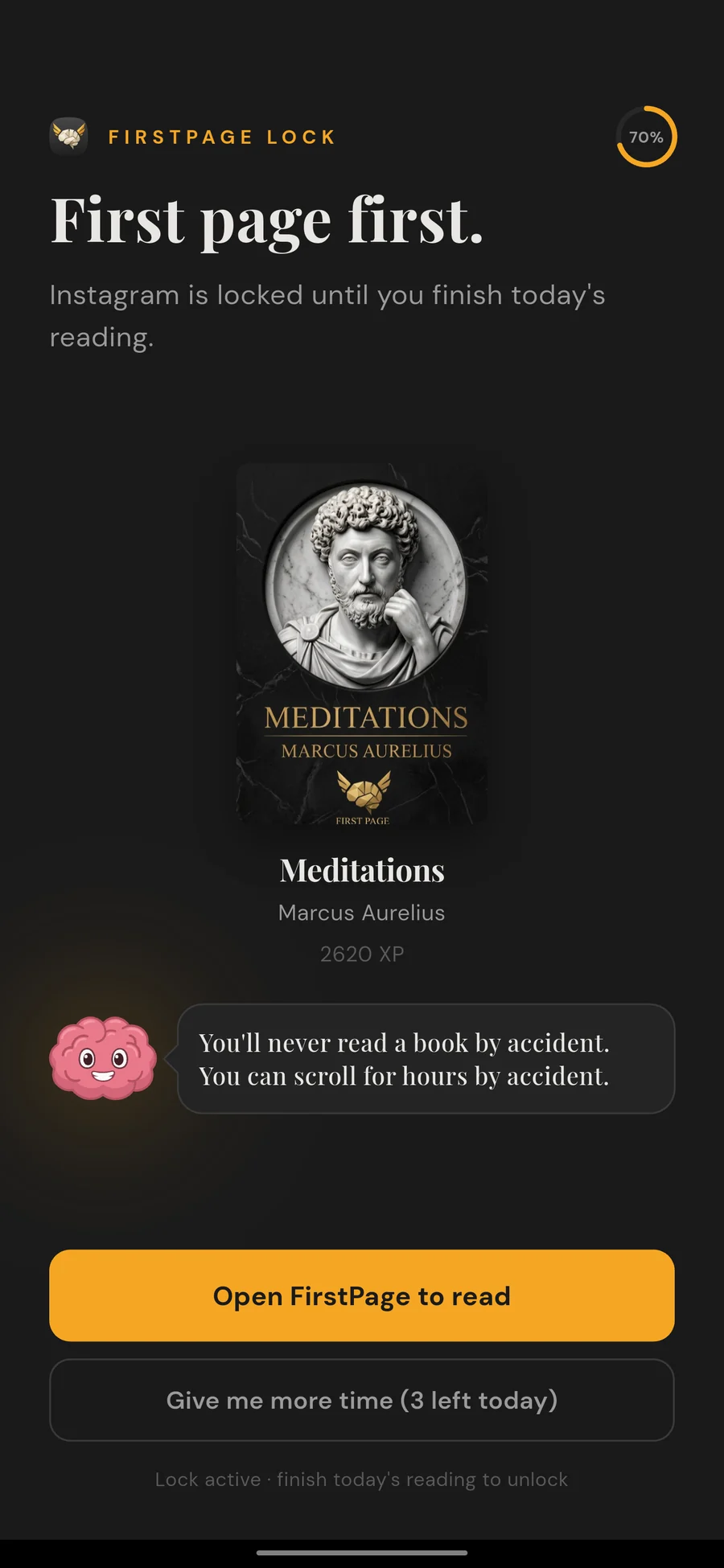
Open a locked app and FirstPage sends you to your book.
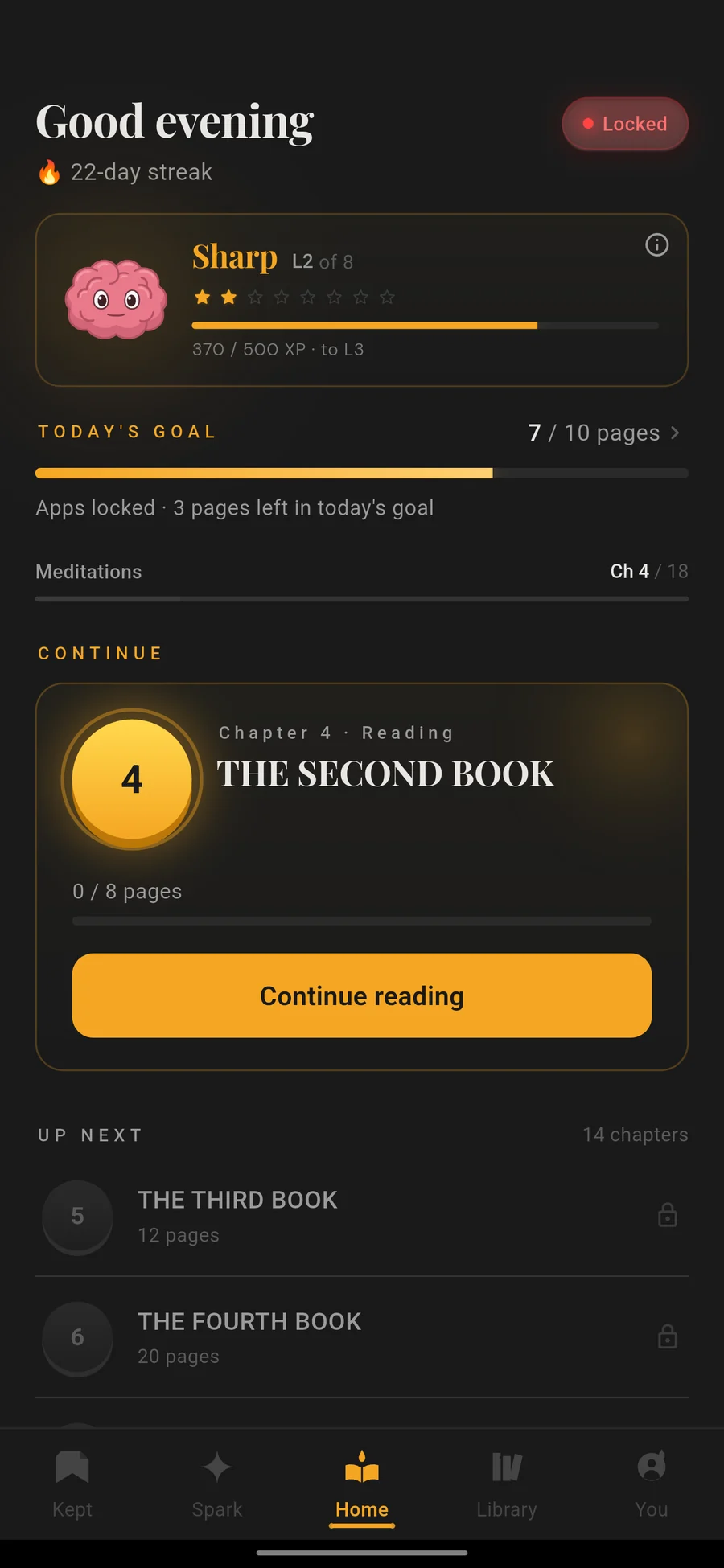
Today's goal, your streak and what is still locked.
Read in the app. The pages count toward the goal.
FirstPage locks the apps you pick, like Instagram, TikTok, YouTube or Reddit, and opens them once you’ve read your daily goal in pages or minutes in its built-in reader. It runs on Apple’s Screen Time, so you choose apps, whole categories or websites in Apple’s picker, and the lock holds even when FirstPage is closed. Open a locked app early and the block screen shows how many pages are left. If you really need an app, there’s a 15-minute escape, up to three times a day, and it costs a little of your XP.
The free plan locks as many apps as you like, with one book and one reading window. The reader adds a streak, XP for a brain mascot, AI chapter summaries, translation and read-aloud voices. Pro is $6.99 a month or $49.99 a year, with a 3-day trial on the yearly plan. It needs iOS 17 or later and runs on iPhone and iPad; see FirstPage for iPhone.
Pick it if you want the time you take back from your phone to go into books. If you need to block apps on a work schedule, a dedicated blocker below suits you better. Get it on the App Store.
2. Opal: most complete focus app
Opal blocks apps and websites in focus sessions, on schedules and with daily limits, and you choose how hard each block is to end. Deep Focus can’t be cancelled or bypassed. It also has a focus score, reports and leaderboards with friends. The free plan has 3 rules. Pro is $19.99 a month or $99.99 a year, and it needs iOS 18. We compare it with FirstPage in our Opal guide.
3. one sec: best pause before opening an app
one sec shows a short breathing exercise before a chosen app opens, so you open it on purpose. It delays apps rather than blocking them, and it can kick you out after a set time so you have to pause again. A Safari extension does the same for websites. It’s free for one app; Pro is $6.99 a month, $19.99 a year or $99.99 once.
4. ScreenZen: best free pause-before-open
ScreenZen makes you wait before an app opens, with a wait that can grow each time, caps on opens, and strict blocks for set times. It can lock its own settings, so you can’t change them in a weak moment. Its only purchases are tips.
5. Jomo: simple blocks for apps, sites and categories
Jomo blocks apps, websites in any browser and whole categories, such as social media or games, at the times you set, with mindful breaks when you need one. Jomo Plus is $5.99 a month, $29.99 a year or $99.99 once, with a 3-day trial on the yearly plan.
6. AppBlock: best schedules by place and Wi-Fi
AppBlock blocks apps and websites on schedules set by time, location or Wi-Fi, with open limits, an allowlist and a Strict Mode that stops you getting around your own rules. The free version has limits. Premium is $4.99 a month or $29.99 a year.
7. Freedom: best for phone and computer together
Freedom blocks the same apps and websites across your phone, tablet and computers at once, with scheduled blocks and a Locked Mode that holds you to a session. It’s $8.99 a month or $39.99 a year after a 7-day trial.
8. Brick: strictest, with a physical key
Brick is a small device. You tap your phone on it to start blocking the apps you chose, and you have to tap it again to stop, so leaving it at home or in a drawer keeps the block on. You get 5 emergency unlocks. The device is $59 and the app is free. Brick Night ($129) blocks apps when you walk into your bedroom.
9. Screen Time: built in and free
Every iPhone has App Limits and Downtime under Settings, then Screen Time. They’re a good first step, but easy to undo: when a limit runs out you can tap Ignore Limit and keep going, unless you set a Screen Time passcode that someone else knows. For more on the settings and why limits slip, see how to stop mindless scrolling.
10. Forest: focus sessions as a game
Forest grows a tree while you stay off your phone, and the tree withers if you leave. Allow Lists block other apps during a session, and Time Guard blocks apps on a schedule. It suits focus sessions more than all-day blocking. It’s free to download, with a Forest Plus subscription.
Which one should you pick?
- You want to read instead of scroll: FirstPage.
- Sessions, schedules and limits, all in one: Opal.
- A moment to think before opening: one sec or ScreenZen.
- No way out at all: Brick, or Opal’s Deep Focus.
- Phone and computer together: Freedom.
- Apps that lock until you read: see the best reading app blockers.
- On Android instead: see the best app blockers for Android.
FirstPage is made by the team that writes this guide. App names are trademarks of their owners, and FirstPage is not affiliated with any other app on this page. Details about other apps can change; this page was last checked on the date at the top.
Questions
- What is the best app blocker for iPhone?
- It depends on what should end the block. FirstPage keeps social apps locked until you've read your daily pages, so the time goes into a book. Opal is the most complete focus app, one sec adds a pause before an app opens, and Brick is the hardest to undo because the off switch is a device you leave in another room.
- Is there a free app blocker for iPhone?
- Yes. Screen Time is built into every iPhone and is free, though you can tap past a limit unless you set a Screen Time passcode. FirstPage's free plan locks as many apps as you like until you read, one sec is free for one app, Opal's free plan has 3 rules, and ScreenZen is free with optional tips.
- How do I block social media on iPhone?
- For a light limit, open Settings, then Screen Time, then App Limits, and add a limit for the Social category. For a block you can't simply tap past, use an app with a strict option, like Opal's Deep Focus, Freedom's Locked Mode or Brick. If you want the blocked time to go somewhere useful, FirstPage keeps the apps locked until you've read.
- How do app blockers work on iPhone?
- Apple lets apps block other apps through its Screen Time system. You pick the apps, categories or websites in Apple's own picker, and Apple shows a block screen when you open one. FirstPage, Opal, Jomo, Brick and most others on this list work this way, so the block holds even when the blocker app is closed.
- Can an app blocker block websites on iPhone?
- Most can. Apple's picker includes websites, so FirstPage, Opal, Jomo, AppBlock, Freedom and Brick can block a site like instagram.com in Safari as well as the app. one sec adds its pause to websites through a Safari extension.