EPUB readers for iPhone
The best EPUB readers for iPhone in 2026
Updated November 16, 2026
The short version: the best EPUB reader for iPhone depends on what you want from it. FirstPage is the best if you want to read more: it opens your EPUB and PDF files and adds a daily goal, a streak, XP, AI chapter summaries and translation. Apple Books is free and already on your phone. Readest is the pick for an open-source reader tied to your Calibre server, and ReadEra is a free reader with no ads that opens almost any format.
We make FirstPage, so it’s on this list; weigh that. We say where another app is the better choice.
The best EPUB readers for iPhone in 2026
- FirstPage: best overall, and best for reading more.
- Apple Books: best free reader, built in.
- Readest: best for Calibre, OPDS and open source.
- Yomu: best for EPUB, Kindle files and comics in one library.
- ReadEra: best free reader with no ads and free read-aloud.
- PocketBook Reader: best for DRM books and audiobooks.
- FBReader: a long-running reader with a small free plan.
- Google Play Books: best if you also read on Android.
The apps, side by side
| App | Formats | Read aloud | OPDS or Calibre | Price (US) |
|---|---|---|---|---|
| FirstPage | EPUB, PDF | Yes, 6 languages | Yes, plus KOReader sync | Free plan (1 book); Pro $6.99/mo or $49.99/yr |
| Apple Books | EPUB, PDF, plus its store | Not listed | No | Free, built in |
| Readest | EPUB, PDF, MOBI, AZW3, FB2, CBZ, TXT | Yes, offline voices | Yes, plus KOReader sync | Free plan; Plus $4.99/mo; Pro $9.99/mo |
| Yomu | EPUB, MOBI, AZW3, PDF, CBZ, CBR | Not listed | Yes, import | Free with limits; Pro $7.99 |
| ReadEra | EPUB, PDF, MOBI, AZW3, DJVU, DOCX, CBZ and more | Yes, free | Not listed | Free, no ads, no purchases |
| PocketBook Reader | EPUB, PDF, MOBI, FB2, DJVU, CBZ, Adobe DRM, audiobooks | Yes | Yes, OPDS | Free, no ads |
| FBReader | EPUB, AZW3, FB2, RTF, DOC, LCP DRM | Not listed | Not listed | Free up to 10 books; Full $12.99 |
| Google Play Books | Your EPUB and PDF uploads, plus its store | Not listed | No | Free; books extra |
1. FirstPage: best overall, and best for reading more
FirstPage
Gamified reading habit app for iOS and Android
- Phone
- iPhone, iPad and Android: App Store and Google Play
- Daily goal
- Pages, minutes or both, with reminders
- Keeps you going
- A daily streak, and XP for a brain mascot that climbs 5 ranks as you read
- Books
- Your own EPUB and PDF files, or free classics in the app
- Optional lock
- Keeps Instagram or TikTok closed until today's goal is done
- Free plan
- 1 book and 1 reading window. Pro from $6.99 a month
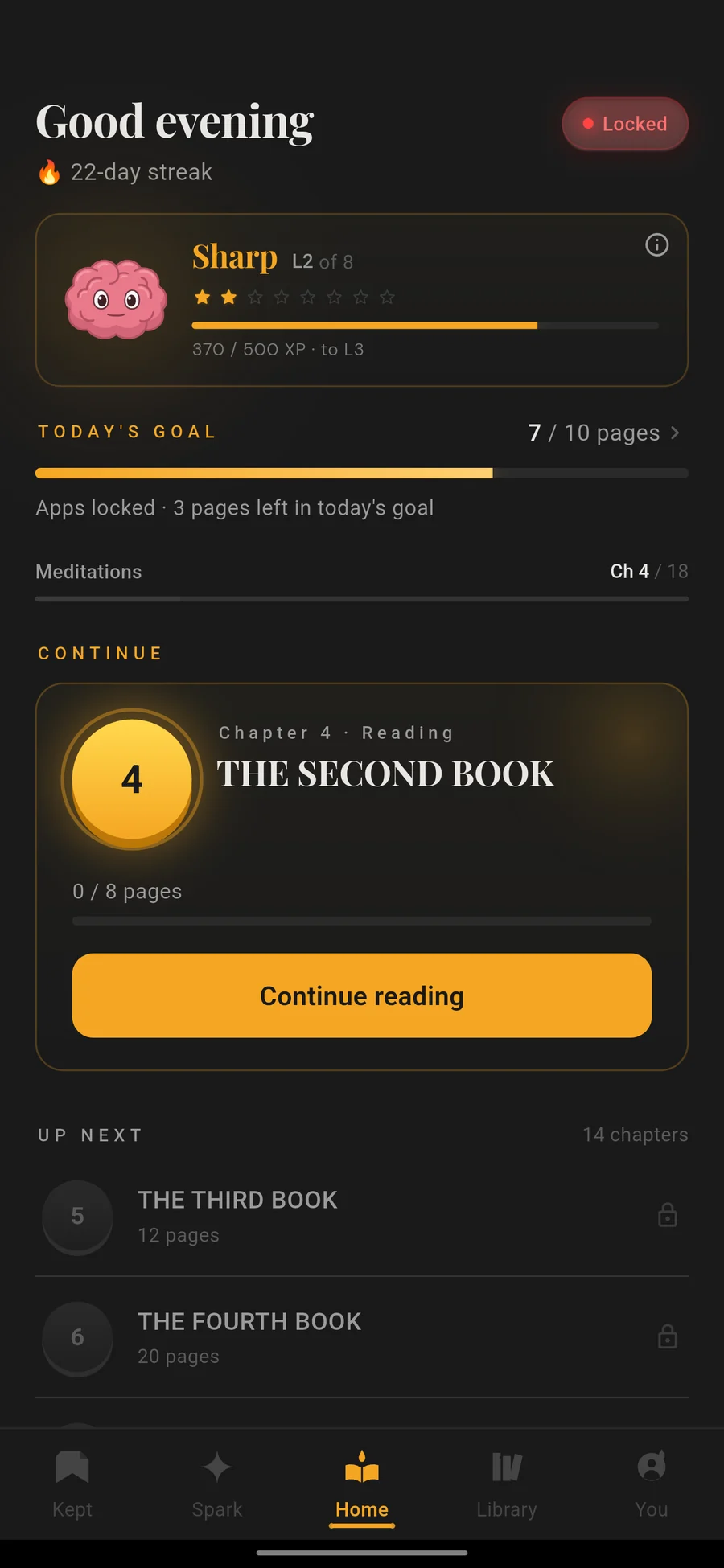
Today's goal, your streak and the book you're on.
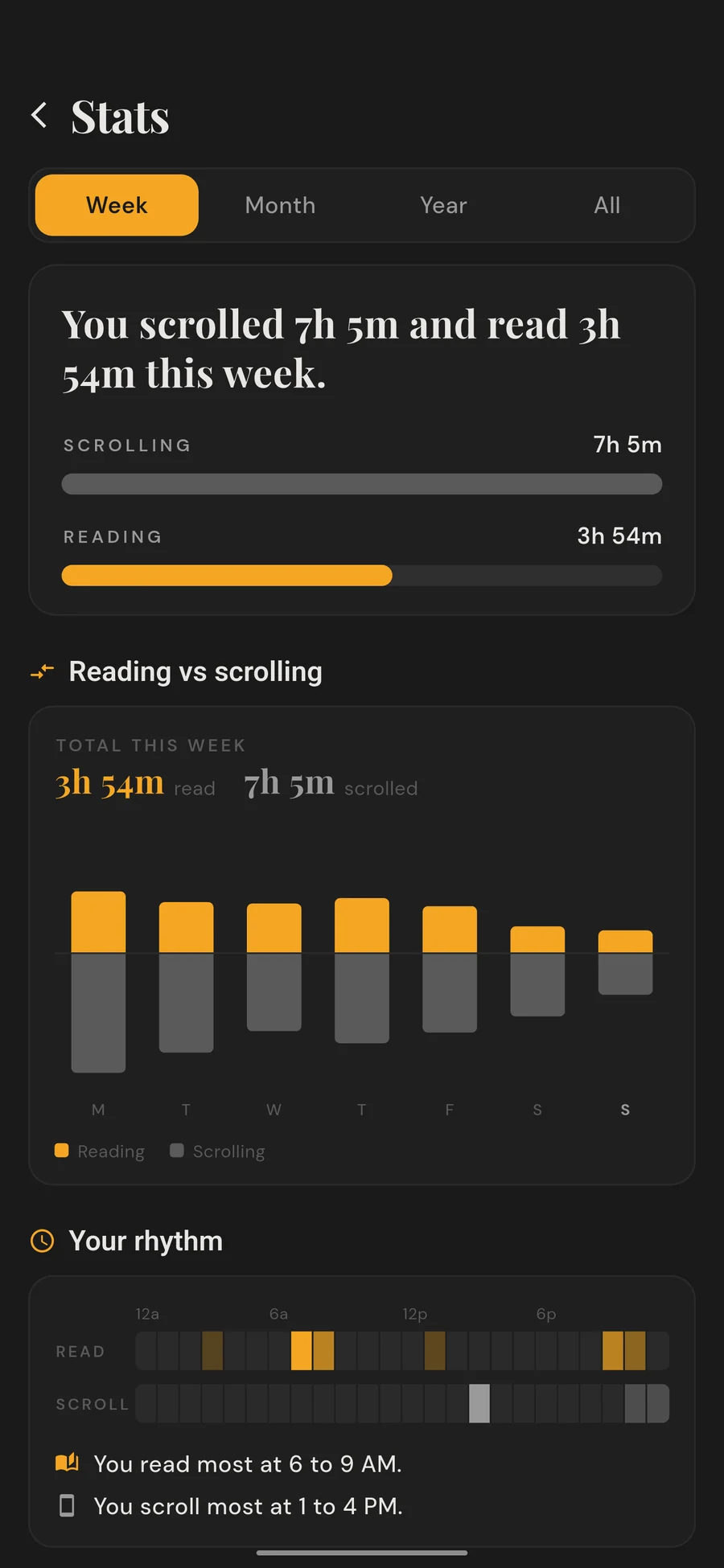
Your reading time next to your scrolling time.
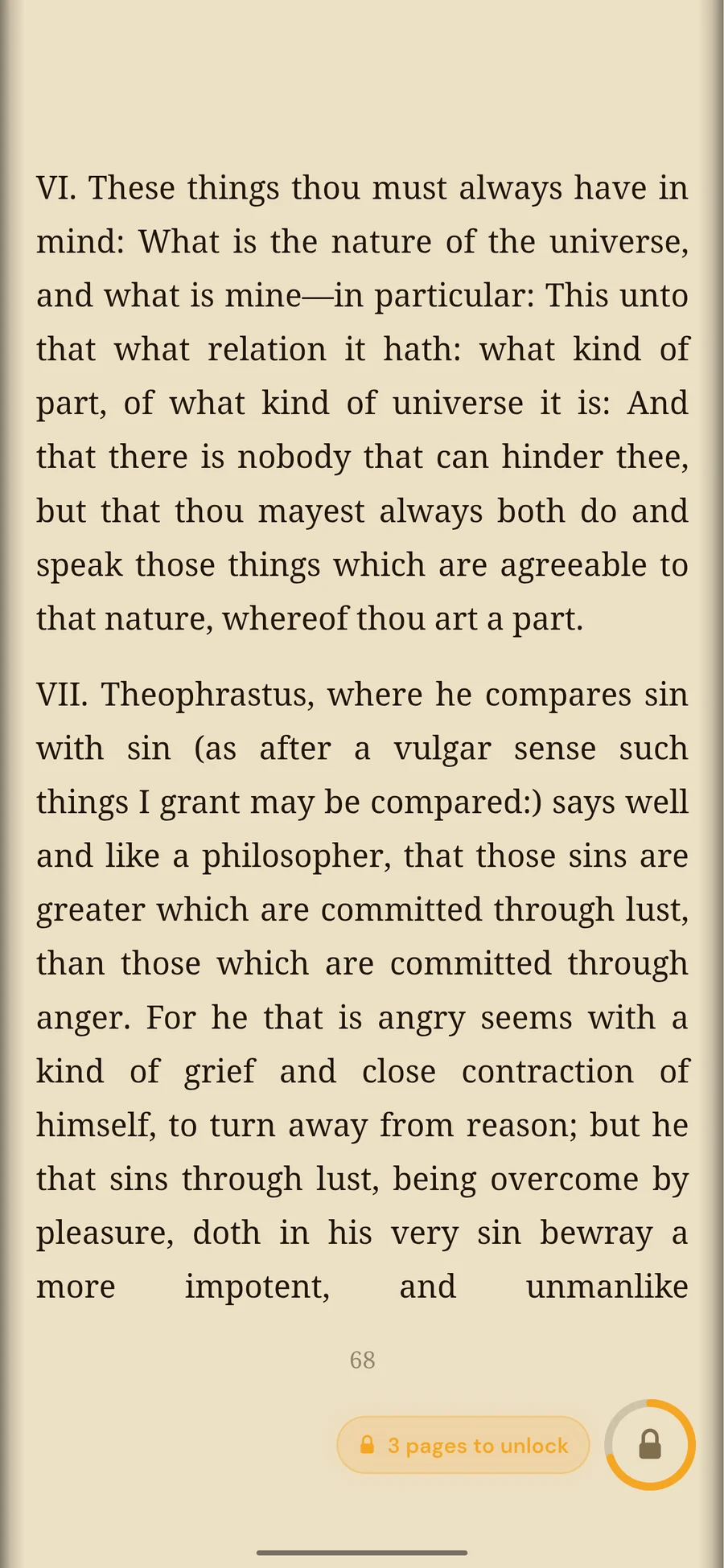
Read in the app. The pages count toward the goal.
FirstPage is an EPUB and PDF reader for iPhone and iPad built to make you read more. Bring your own files or download free classics from Project Gutenberg inside the app, then set a daily goal in pages or minutes. Every page you read counts toward it, keeps your streak going and earns XP for a brain mascot that climbs five ranks.
The reader has five fonts, highlights in five colors, saved quotes, AI chapter summaries, translation into 17 languages, and read aloud in six languages with voices that run on your iPhone. It opens the library you keep on a server: Calibre, Kavita, Komga or any OPDS catalog, and it can sync your place with KOReader on an e-reader. Home screen widgets show your book, your streak and your saved words. On a wide iPad in landscape it shows two pages side by side.
If your phone keeps pulling you away, the optional lock uses Apple’s Screen Time to keep Instagram, TikTok or any app you pick closed until today’s reading is done. More on the FirstPage for iPhone page.
Pick it if you want an EPUB reader that helps you read every day. The free plan holds one book at a time; Pro removes the limit. It needs iOS 17 or later, and it doesn’t open MOBI, DJVU or comic formats.
2. Apple Books: best free reader, built in
Apple Books is already on your iPhone. Share a DRM-free EPUB or PDF to Books and it lands in your library next to books from its store. You can change themes, fonts, line height and spacing, scroll instead of turning pages, and set a reading goal with streaks and reminders. It doesn’t connect to Calibre or other OPDS catalogs.
Pick it if you want a good free reader and don’t need a library server or other formats.
3. Readest: best for Calibre, OPDS and open source
Readest is an open-source reader that opens EPUB, PDF, MOBI, AZW3, FB2, CBZ, TXT and Markdown. It downloads from OPDS catalogs and Calibre or Calibre-Web, syncs through its own cloud or iCloud, Google Drive, OneDrive or WebDAV, and keeps your place in step with KOReader. It reads aloud with voices you can download for offline use, and translates a sentence, a page or a whole book. The free plan includes 500 MB of cloud storage and a daily translation allowance; Plus is $4.99 a month or $49.99 a year, and Pro is $9.99 a month or $99.99 a year.
Pick it if you want an open-source reader for a self-hosted library and don’t need a daily goal.
4. Yomu: EPUB, Kindle files and comics in one library
Yomu opens DRM-free EPUB, MOBI, AZW3, PDF and CBZ or CBR comics, and imports from iCloud Drive, Dropbox, Google Drive, OneDrive, OPDS and Calibre. It has highlights, notes, folders and tags, and widgets for recent books and quotes. The free version can show ads and limits how many books you keep. Yomu Pro, $7.99, removes both and adds iCloud sync across iPhone, iPad and Mac.
5. ReadEra: best free reader with no ads
ReadEra opens EPUB, PDF, MOBI, AZW3, DJVU, DOC, DOCX, CBZ, CBR, FB2 and more, with no ads, no account and no in-app purchases. It reads aloud with a choice of voices and speeds, for free, and keeps quotes, notes and bookmarks for each book.
6. PocketBook Reader: best for DRM books and audiobooks
PocketBook Reader opens 19 book formats plus comics, including Adobe DRM EPUB and PDF, and plays MP3 and M4B audiobooks. It has text-to-speech, OPDS catalogs, a free cloud that syncs your books and place, and no ads.
7. FBReader: a long-running reader
FBReader opens EPUB, Kindle AZW3, FB2, RTF and Word files, including EPUBs protected with LCP DRM, and syncs your library and position through Google Drive. The free version holds up to 10 books and has no translation; the Full Edition is $12.99.
8. Google Play Books: best if you also read on Android
Play Books reads the EPUB and PDF files you upload to your Google account, next to books you buy, and keeps your place on iPhone, Android and the web. Uploading is easiest from a computer at play.google.com/books.
What about Kindle, Kobo and KOReader?
Kindle doesn’t open EPUB files. It takes them only through Send to Kindle, which converts the file into your Amazon library. Kobo can import DRM-free EPUB and PDF files, but they stay on the device you imported them on and don’t sync. Both are best for books bought in their own stores. KOReader, the open-source reader for e-ink devices, has no iPhone app; FirstPage and Readest can both sync your place with it.
Which one should you pick?
- You want to read more, every day: FirstPage, on the App Store.
- Free and already installed: Apple Books.
- Calibre server, open source: Readest.
- Kindle files and comics too: Yomu.
- Free, no ads, every format: ReadEra.
- DRM books and audiobooks: PocketBook Reader.
Sources
- Apple App Store (US) listings for Apple Books, Readest, Yomu, ReadEra, PocketBook Reader, FBReader and Google Play Books, checked November 16, 2026.
- Readest, Pricing.
- Kobo Help, Import items from your iOS or macOS device to your Kobo Books app.
- KOReader, project page on GitHub.
FirstPage is made by the team that writes this guide. App names are trademarks of their owners, and FirstPage is not affiliated with any other app on this page. Details about other apps can change; this page was last checked on the date at the top.
Questions
- What is the best EPUB reader for iPhone?
- FirstPage if you want to read more: it opens your EPUB and PDF files and adds a daily goal, a streak, XP, AI chapter summaries, translation, library servers and an optional lock on social apps. Apple Books is the best free choice and is already on your iPhone. Readest suits people who keep their books on a Calibre or OPDS server and want an open-source reader.
- Is there a free EPUB reader for iPhone with no ads?
- Yes. Apple Books is free and built in. ReadEra is free with no ads and no in-app purchases, and PocketBook Reader is free with no ads. Readest has a free plan too.
- How do I open an EPUB file on my iPhone?
- Tap the file in the Files app or in a message, tap Share, and pick the reader you want, such as Books or FirstPage. In FirstPage you can also tap Add a book and choose the file, or download it from your own library server.
- Can Kindle open EPUB files on iPhone?
- Only through Send to Kindle. You share the EPUB to Kindle and Amazon converts it into your Kindle library. You can't open the EPUB file itself in the Kindle app.
- Which iPhone EPUB reader works with Calibre and KOReader?
- FirstPage and Readest both connect to Calibre and other OPDS catalogs, and both can sync your place with KOReader on an e-reader. Yomu and PocketBook Reader can download from OPDS catalogs too. KOReader itself has no iPhone app.